Access tokens
App user API tokens
Bitbucket API token
is required for Flowie (since June 2026) to be able to enforce merge checks and restrict merge options.
We recommend using a dedicated account for the app rather than an account shared with a user, as Flowie cannot enforce merge checks for the account that owns the token.
If this limitation is acceptable, you can use a shared account instead.
The user account associated with the token will be used as the app account, so any restricted action performed by Flowie will be attributed to that account, most notably pull request merges.
Token set up
You can you follow the instructions on Bitbucket API tokens and create the token under the account here.
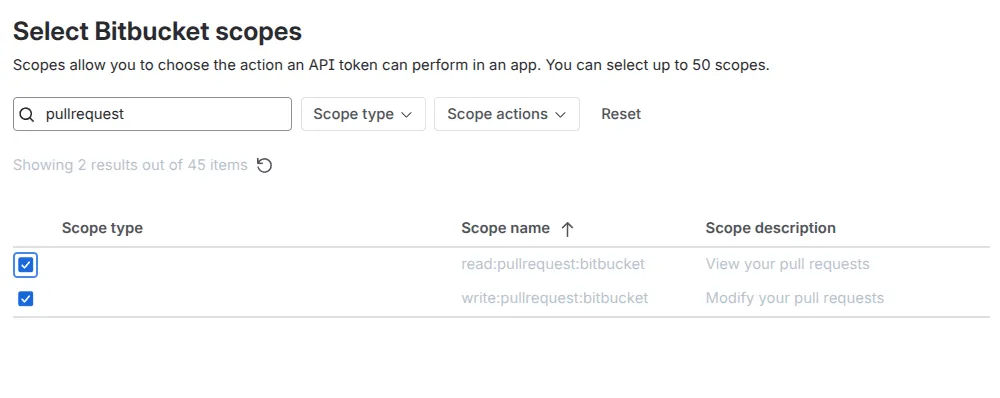
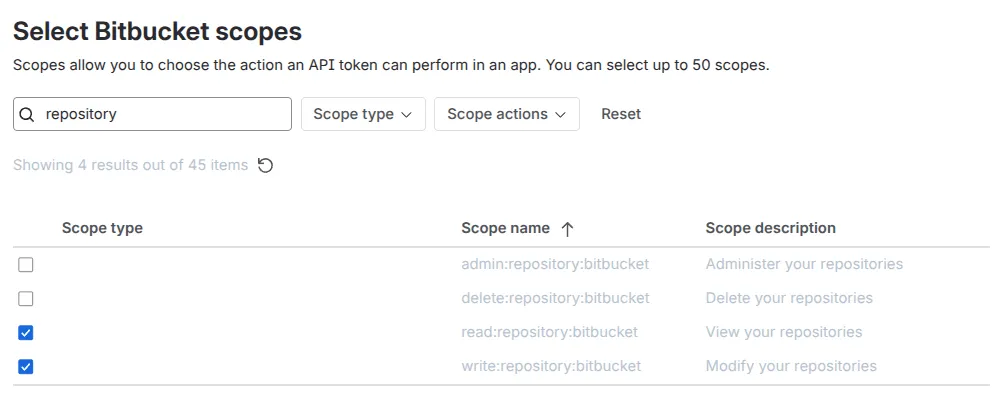
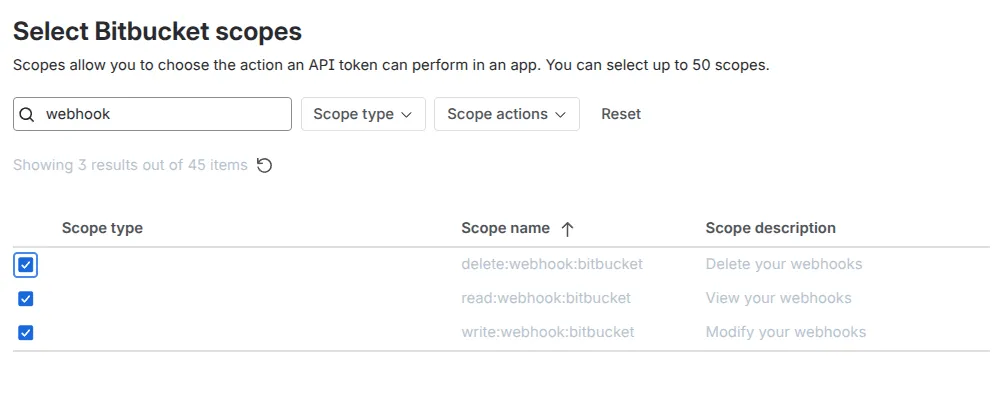
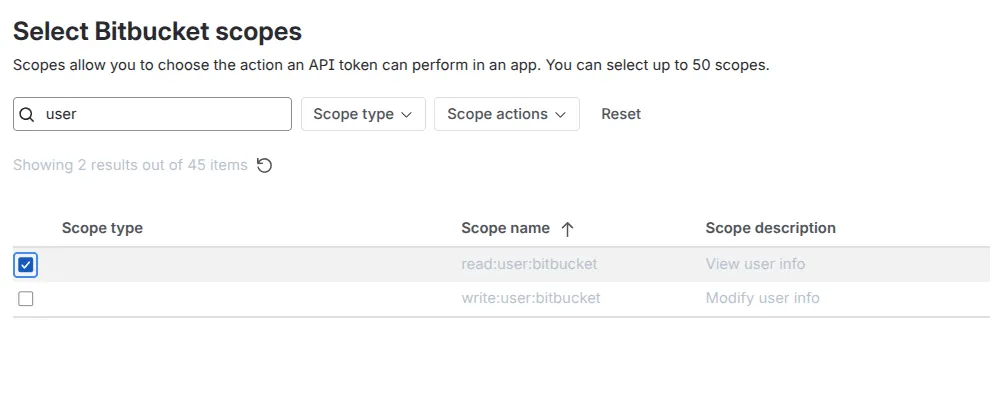
Search for the keywords below and select the required scopes:
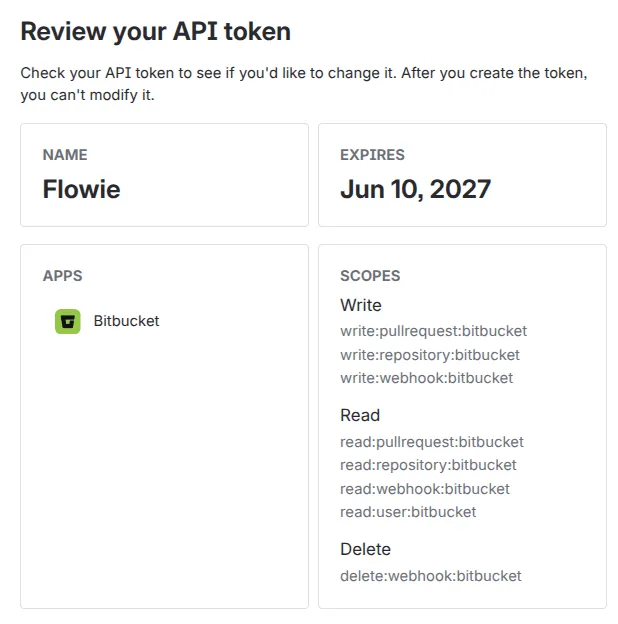
pullrequest
repository
webhook
user
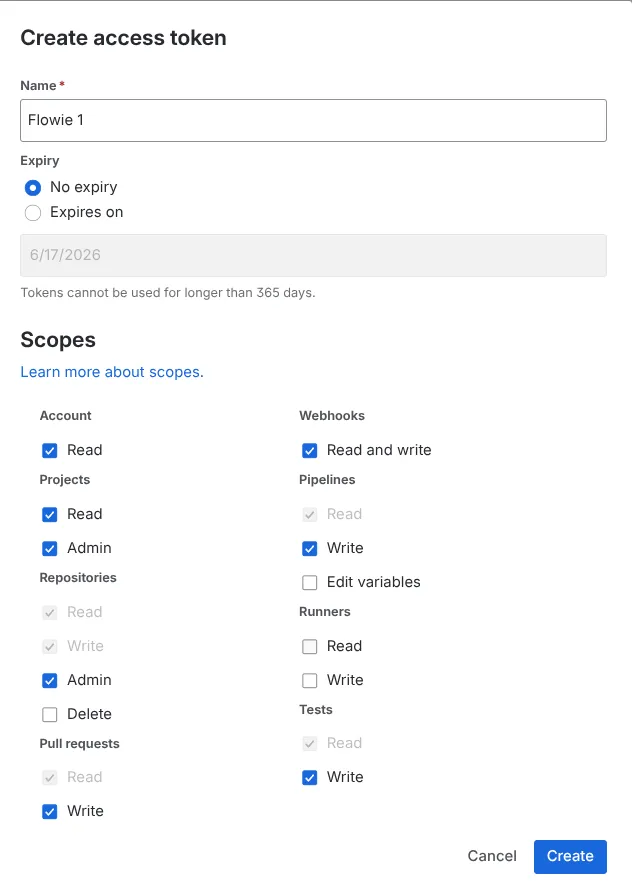
The token summary will look like this:
Once you have the token, you can paste and add it to Flowie under:
Workspace settings > Flowie > Tokens > App token.
Workspace tokens
Bitbucket Cloud has a relatively low rate limit for API calls, which can become an issue on larger workspaces. Flowie can optionally use workspace tokens to mitigate this issue as reccommended by Atlassian here.
You can you add Bitbucket workspace tokens under:
Workspace settings > Flowie > Tokens > Workspace tokens.
The required scopes are as shown below: